 Stepshots
How to see all branches in a GitHub repository
The branch picker on a repository's home page only shows a short dropdown, so it's easy to miss how many branches actually exist. GitHub keeps the full list on a dedicated Branches page, one click away. This guide shows how to see all branches in a GitHub repository, what the Overview, Active, Stale, and All tabs mean, and how to read each branch's status at a glance.
Steps
- Open the repository
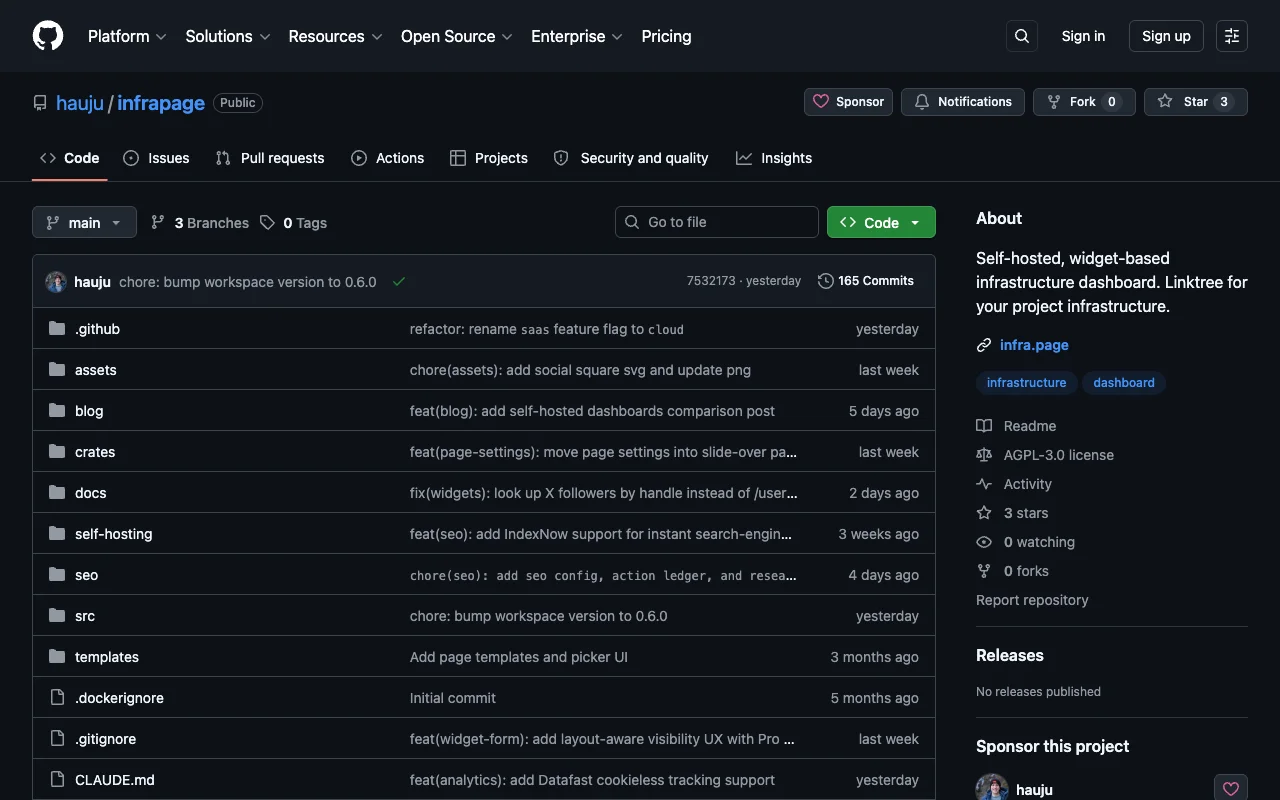
Go to the repository on github.com. Next to the branch picker at the top of the code view, GitHub shows how many branches the repository has.
- Click the Branches link
Click the branch count (for example "3 Branches") to open the Branches page. You can also get there directly by adding /branches to the repository URL.
- Review the branches overview
The Overview tab shows the default branch and the most recently active branches, each with its last update, check status, and any open pull request.
- Switch to All branches
Click the All tab to list every branch in the repository — including stale ones that haven't seen a commit in a while.
- Browse the complete list
Each row shows when the branch was last updated and how far it is ahead of or behind the default branch. Use the search box above the list to filter branches by name.
Why see all branches in a GitHub repository?
The Branches page answers questions the code view can't: what's currently in flight, which branches have gone stale and are safe to clean up, and how far a branch has drifted ahead of or behind the default branch before you merge. Checking it regularly keeps a team's branch list an honest picture of active work rather than an archive of forgotten experiments.
Create your own interactive guide with Stepshots
Record any flow, annotate it, and share a clickable walkthrough — no video editing required.
Get started freeMore GitHub tutorials
How to delete a branch in GitHub
Delete a branch in GitHub from the Branches page or a merged pull request — and restore it if you removed it by mistake. Step-by-step guide.
How to delete a repository in GitHub
Delete a GitHub repository from Settings → Danger Zone, including the type-to-confirm dialog — and what to know before it's gone for good.